

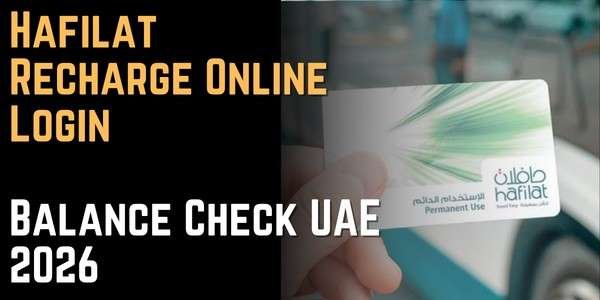
Hafilat Recharge Online Login Balance Check UAE 2026
Keeping your Hafilat card topped up is the only thing standing between you and a smooth bus ride in Abu Dhabi. This guide covers every official way to recharge, exactly how much you can load, how long your balance stays valid, and clears up a common point of confusion online: whether Payit and MBME kiosks actually support Hafilat top-ups (sources disagree, so we explain what to check for yourself).
What is Hafilat Recharge?
Hafilat recharge Online is the process of adding credit to your Hafilat smart card, the prepaid travel card used to pay bus fares across Abu Dhabi, Al Ain, and Al Dhafra. The system is managed by Abu Dhabi Mobility (formerly the Integrated Transport Centre, or ITC), under the Department of Municipalities and Transport (DMT), and runs through the Darb digital platform.
Unlike balance checking, which is purely informational, recharging actually adds money to your card, so it’s worth knowing which methods are instant and which take time to reflect, especially if you’re about to board a bus.
Hafilat Recharge Methods 2026
There are seven confirmed official ways to recharge, split between online and offline channels:
Online Methods
- Darb website (hafilat.darb.ae)
- Darb mobile app
- TAMM portal (via UAE Pass)
Offline Methods 4. Ticket Vending Machines (TVM) 5. Banknote Reloader (BR) kiosks 6. Authorized retail outlets (Lulu, ADNOC, SPAR and similar) 7. Customer Happiness Centers
Note: Payit wallet and generic bill-payment kiosks (MBME/NT.Payments) are listed as recharge options on some sites, but this is disputed. See the dedicated section below before relying on either.
How to Recharge via the Darb Website
Step 1: Open hafilat.darb.ae
Always check for the padlock/HTTPS icon before entering any card details.
Step 2: Select Recharge Card
Click “Recharge Card” from the main menu.
Step 3: Enter your 16-digit card serial number
Type it exactly as printed on the back of your card, watching for characters that look alike (0 vs. O).
Step 4: Choose your recharge amount
Select an amount, typically between AED 10 and AED 150, depending on your current balance and the card’s maximum limit.
Step 5: Pay and confirm
Complete payment with a linked card. You’ll get an on-screen confirmation, but the balance may take time to sync — see the validity and reflection section below.
Tip: online recharges are the most convenient if you’re planning ahead, but not the fastest if you need credit in the next few minutes. For that, use a TVM instead.
How to Recharge via the Darb App
Step 1: Download and open Darb
Install “Darb Abu Dhabi” from the Google Play Store or Apple App Store, then sign in with UAE Pass or your registered account.
Step 2: Link your card
From the home screen, tap the “+” icon or “My Cards,” then “Add Card,” and enter your 16-digit serial number.
Step 3: Tap Top Up
Select your linked card, tap “Top Up” or “Recharge,” and choose an amount.
Step 4: Complete payment
Pay with a saved card and confirm the transaction.
Step 5: Sync your balance
If the new balance doesn’t show right away, tap your card once on any bus validator or TVM — this usually forces the sync faster than waiting for the app alone.
How to Recharge via TAMM
TAMM is Abu Dhabi’s central government services portal, and Hafilat services are now accessible through it via UAE Pass.
Step 1: Sign in to TAMM
Go to tamm.abudhabi, click “Sign in,” and authenticate through UAE Pass (confirm the matching number on your UAE Pass app).
Step 2: Add your card
Select “Hafilat Add Card,” enter your card serial number and cardholder name. A nickname and email are optional.
Step 3: View your card details
Once added, you’ll see your current balance, card type, and expiration date.
Step 4: Top up
Click the top-up button, choose your recharge amount, and pay.
Why this matters: because TAMM ties into your UAE Pass identity, it’s convenient if you already manage other Abu Dhabi government services from the same login.
How to Recharge via Ticket Vending Machines (TVM)
TVMs are the fastest offline option when you need your balance updated immediately.
Step 1: Find a TVM
Look for the official green/white ITC-branded machines at bus stations such as Abu Dhabi Central Bus Station, Al Ain Terminal, Mussafah, Khalifa City, and near major malls like Al Wahda Mall.
Step 2: Activate the machine
Touch the screen or press any button, then choose English or Arabic.
Step 3: Read your card
Tap your card on the contactless reader or insert it into the slot as indicated, and wait a few seconds for the machine to read it.
Step 4: Select Recharge
Choose “Recharge” or “Top Up,” then select your desired amount.
Step 5: Pay and confirm
Pay with cash or a supported bank card. The new balance appears on screen immediately, and you can print a receipt.
Don’t confuse a Hafilat TVM with a generic bill-payment kiosk (see the Payit/MBME section below) — always look for the official ITC/Abu Dhabi Mobility branding.
How to Recharge via Banknote Reloader (BR) Kiosks
BR kiosks (sometimes called Swift Reloader machines) are simple, cash-only devices built for one purpose: fast top-ups.
Step 1: Locate a BR kiosk
Find one at high-traffic transport locations such as Al Wahda Bus Station or Mussafah Bus Station.
Step 2: Insert your card
Place your Hafilat card into the machine’s card slot when prompted.
Step 3: Select your amount
The screen shows your current balance and lets you choose how much to add.
Step 4: Insert banknotes
Insert the exact amount in cash — these machines don’t give change, so bring the right notes.
Step 5: Confirm and collect
Once processed, your balance updates instantly. Take your card and printed receipt.
Note: BR kiosks are recharge-only — they can’t issue new cards or activate travel passes, and they occasionally go offline when their cash compartment is full.
How to Recharge at Authorized Retail Outlets
If you’re already out shopping, several retail chains across Abu Dhabi, Al Ain, and Al Dhafra can recharge your card at the counter.
Step 1: Visit a partner outlet
Common partners include Lulu Hypermarket (all branches), ADNOC stations, Abu Dhabi Cooperative Society (SPAR), Al Ain Cooperative Society, Al Dhafra Co-op Society supermarkets, and Lulu Exchange.
Step 2: Approach the service counter
Look for the customer service counter or a dedicated Hafilat service point inside the store.
Step 3: Hand over your card and state the amount
Tell staff how much you’d like to recharge, generally between AED 10 and AED 150.
Step 4: Pay
Pay by cash or card, depending on what the outlet accepts.
Step 5: Collect your receipt
Verify your balance updates before leaving, and keep the receipt as proof.
Tip: this method is convenient for combining recharge with your regular grocery run, but processing can occasionally take up to 24 hours at some locations rather than reflecting instantly — ask the cashier if you’re unsure.
How to Recharge at Customer Happiness Centers
These are the official, government-operated service desks inside major bus stations, staffed by transport agents.
Step 1: Find the nearest center
Customer Happiness Centers are located at major bus stations and the airport.
Step 2: Hand over your card
Give your card to the staff member and tell them the amount you want to add.
Step 3: Pay
Pay by cash or card at the counter.
Step 4: Get instant confirmation
Recharges here process instantly, with no delay.
Why this matters: this is also the right place to go for card replacement, balance disputes, lost card reports, or reactivating a card that’s been inactive for a long time — something no machine or app can resolve on its own.
The Payit and MBME Confusion, Explained
If you’ve searched for Hafilat recharge before, you’ve probably seen conflicting claims about two methods:
Payit wallet: Some guides describe a full walkthrough for recharging Hafilat through the Payit app (owned by First Abu Dhabi Bank), including a “UAE Bills & Recharge” section. Other sources, based on hands-on testing in 2026, report that the current Payit app has no dedicated Hafilat option at all — only Etisalat, du, Salik, and Nol top-ups appear.
MBME kiosks: Similarly, some guides list MBME bill-payment kiosks as a valid Hafilat recharge point, while others explicitly warn that MBME and similar generic kiosks (like NT.Payments machines found in malls) do not support Hafilat card recharge, and that only the official green/white ITC-branded TVMs should be used.
Given this contradiction, the safest approach is: open the Payit app yourself and check whether a Hafilat option currently appears before relying on it, and default to an official Darb channel (website, app, TVM, or counter) rather than assuming a generic bill-payment kiosk works for Hafilat. Features do get added and removed over time, so what didn’t work in one test might change later — verify in-app rather than trusting either claim blindly.
Comparison Table: Choosing the Best Method
|
Method |
Speed |
Cash or Card |
Convenience |
Notes |
|
Darb Website |
Payment instant, balance sync may take hours |
Card only |
High |
Best if planning ahead, not for immediate travel |
|
Darb App |
Payment instant, balance sync may take hours |
Card only |
High |
Best for managing multiple cards and passes |
|
TAMM |
Payment instant, balance sync may take hours |
Card only |
Medium |
Good if you already use UAE Pass for other services |
|
TVM |
Instant |
Cash & card |
High |
Fastest option when you need credit immediately |
|
BR Kiosk |
Instant |
Cash only |
Medium |
No change given, recharge-only |
|
Retail Outlets |
Instant to ~24 hours |
Cash & card |
Medium |
Convenient while shopping, confirm processing time |
|
Customer Happiness Center |
Instant |
Cash & card |
Medium |
Also handles lost cards and disputes |
So, a Ticket Vending Machine is the best method if you need your balance updated right now before boarding, while the Darb app is the best method if you’re recharging ahead of time and want to track multiple cards in one place.
Recharge Limits, Balance Validity and Passes
- Recharge amount range: typically AED 10 to AED 150 per transaction.
- Maximum card balance: AED 150.
- Recommended minimum to travel: keep at least AED 10-20 on your card to avoid a rejected tap at the bus validator.
- Balance validity: stored balance is generally valid for 3 months from your last recharge date. Use the card or tap it on any machine before that window closes to keep it active.
- Reflection time: TVM, BR kiosk, and Customer Happiness Center recharges are instant. Online recharges through the website, Darb app, or TAMM can take anywhere from a couple of hours up to 24-48 hours to sync onto the physical card — tap a validator once after paying to speed this up.
Hafilat Travel Passes (Alternative to Standard Recharge)
Instead of adding standard credit, frequent travelers can load a pass onto their card through the same recharge channels (Darb website, app, TAMM, or a TVM) by selecting “Add Travel Product” or “Pass” instead of “Add Credit.”
|
Pass Type |
Price |
Validity |
Best For |
|
7-Day Pass |
Around AED 35 |
7 days from purchase |
Occasional frequent travelers |
|
30-Day Pass |
Around AED 80-95 |
30 days from purchase |
Daily commuters |
|
Subsidized Pass |
Around AED 80 |
30 days |
Verified beneficiaries of social support programs (Emirates ID required) |
Note: reported pass prices vary slightly between sources, so confirm the current rate on the Darb site or at a Customer Happiness Center before purchasing.
What to Do if Your Recharge Doesn’t Reflect
Tap a validator once. After any online recharge (website, app, or TAMM), tap your card on a bus validator or TVM — this often triggers the balance sync faster than waiting.
Give it up to 24-48 hours. Online and some retail-outlet recharges aren’t always instant. If it’s been less than a day, it may simply still be processing.
Check your transaction history. Open the Darb app or portal to confirm the payment actually went through before assuming it failed.
Keep your receipt or confirmation. Whether it’s a printed TVM receipt or an online payment confirmation, hold onto it in case you need to dispute the charge.
Visit a Customer Happiness Center if it still hasn’t updated. Staff can check your account directly and resolve balance disputes that a machine or app can’t.
[H2] Tips for Recharging Your Hafilat Card
Use a TVM if you’re recharging right before travel. It’s the only method guaranteed to reflect instantly without needing a validator tap afterward.
Don’t let your balance sit idle for 3 months. Tap your card at least once within that window, even for a small trip, to avoid it expiring or needing reactivation.
Bring exact cash for BR kiosks. These machines don’t give change, so know your target amount before you arrive.
Combine recharge with errands. Authorized retail outlets like Lulu or SPAR let you top up while doing regular shopping, saving a separate trip.
Consider a pass if you commute daily. A 30-day pass can work out cheaper than repeated standard top-ups if you travel often.
Verify Payit or MBME support yourself before relying on it. As explained above, these methods are inconsistently reported — check inside the app or at the machine rather than assuming either works.
Keep your card details private. Only enter your 16-digit serial number on official Darb, TAMM, or verified retail counters — never on unofficial third-party sites.
Recharge before the balance runs critically low. Waiting until you’re down to the last few dirhams risks a rejected tap if fares fluctuate slightly by route.
Label multiple family cards in the app. If you manage more than one card, give each a clear nickname so you always recharge the right one.
Final Thoughts
If you need your balance updated right now, a Ticket Vending Machine at any major bus station is your most reliable option, since it reflects instantly and takes both cash and card. For everyday planning, the Darb app is the better long-term habit, letting you top up, track multiple cards, and even switch to a pass if you commute daily. Just be cautious about Payit and MBME — check for yourself whether Hafilat support is actually active before relying on either, since online sources genuinely disagree on this point in 2026.


About Author
