

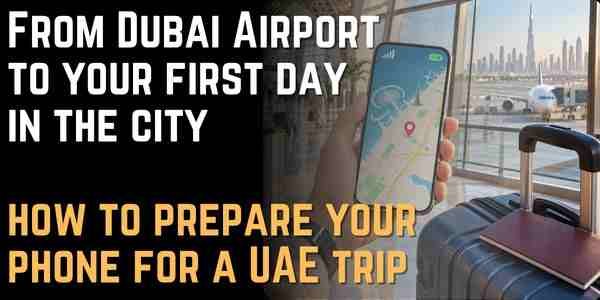
From Dubai Airport to your first day in the city: how to prepare your phone for a UAE trip
Arriving in the UAE often moves quickly. After passport control and collecting your luggage, you may need to locate your driver, open the hotel address, book a ride or check a meeting time. Your phone becomes a practical tool from the first few minutes, especially on a short trip or a busy itinerary.
Start at the airport, but do not depend on it
Major airports provide many services, but arrival is not the ideal time to begin setting up everything on your phone. If you plan to use an eSIM, check device compatibility and, where possible, install the profile before travelling in accordance with the provider’s instructions.
Save the hotel address and booking reference too. You may connect immediately, or your phone may need a few minutes to register on a local network.
Those few minutes are not a problem when the essential information is already on the device.
Review roaming on your home plan
The UAE falls outside the inclusive roaming zones that many travellers rely on elsewhere. The cost of using your home SIM depends on your operator and contract.
Before departure, open your operator’s website and read the UAE tariff. Do not rely on what you paid on a previous trip or on somebody else’s experience.
Then compare roaming, a local SIM and eSIM options.
One option to review is Holafly’s eSIM for the United Arab Emirates. Check the current details on plan duration, data use and compatibility before deciding.
Dubai and Abu Dhabi are not the whole trip
If you will travel between emirates or drive longer distances, think about connectivity beyond hotels and shopping centres.
Coverage in a major city is a different consideration from a remote road or desert area. No eSIM makes coverage identical at every geographical location.
Download maps for the areas you will visit, especially on a road trip. Save the next hotel’s name and contact numbers before leaving the city.
These precautions do not mean expecting trouble. They simply make navigation less dependent on a continuous connection.
Getting around the city needs a clear address
In a large city, the hotel name may be enough, but some accommodation and entrances sit within extensive complexes. Saving the place name, map link and written address helps when booking a ride or explaining your destination.
If you arrive at night, open the route to the hotel before leaving the airport. You will then know the general direction even if the transport app needs to reload or the driver’s message does not arrive immediately.
Heat affects your phone too
Temperatures in the UAE can be high, and phones are affected just like other electronic devices.
Leaving a device on a car dashboard in the sun can raise its temperature and affect performance or charging. When using navigation in a car, position the phone away from direct sunlight with suitable ventilation.
Using the camera, navigation and mobile data together generates extra heat. If the system displays a warning, let the device cool down rather than continuing to charge it and use it heavily.
Digital payments and apps need a recovery plan
Many travellers use their phones for payments, bookings and tickets. That is convenient, but it means losing the device is more than losing a means of communication.
Enable a screen lock and device-finding services. Know how to access your account from another device if necessary.
Do not keep all your recovery codes on the phone itself. Some information should be available through a secure, independent method.
If you use banking apps, check before travelling that you can log in on the device you are taking.
If data does not work immediately, follow a simple sequence: check that the eSIM is enabled, select it for mobile data and set roaming as instructed. Then restart the phone if needed.
Do not delete the profile straight away.
If you have two lines, make sure the home SIM is not using data unintentionally.
A UAE trip may begin with a meeting or a holiday, but the first need is much the same: reach the right place and communicate when necessary.
A phone prepared in advance provides those functions without turning into a technical project at the arrivals gate.
When maps, addresses and mobile lines are clearly organised, you can leave the airport and deal with the remaining details in their own time, rather than starting the trip on a settings screen.


About Author
