

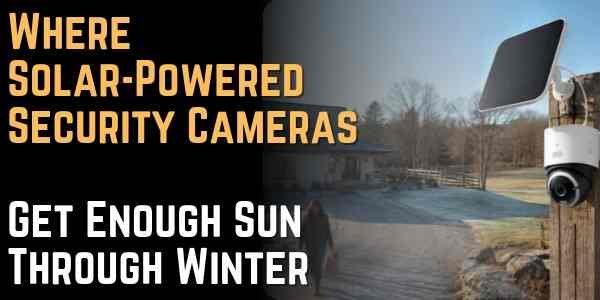
Where Solar-Powered Security Cameras Get Enough Sun Through Winter
Where Solar-Powered Security Cameras Get Enough Sun Through Winter
Many solar-powered security cameras lose charge in winter because placement was planned for summer light, not the shortest days. Low-angle light, longer shadows, and cold batteries leave little room for a mount that looked fine in July. This guide covers placement audits, panel direction, workload matching, winter maintenance, and hardware for shaded outdoor installs.
Solar security camera mounted high on a fence post watches over a rural driveway on a frosty winter afternoon.
Table of Contents
- How Winter Sun Changes Placement for Solar-Powered Security Cameras
- How to Set Solar Panel Direction, Tilt, and Split Installs for Winter
- How to Match Sunlight With Camera Activity Levels
- How to Maintain Solar Panels Through Winter Weather
- How to Choose a Solar-Powered Outdoor Security Camera for Winter
- Conclusion
How Winter Sun Changes Placement for Solar-Powered Security Cameras
Summer installs can hide placement problems until winter shadows arrive. A panel tucked near an eave may pick up enough light in July, when the sun sits higher and the day is longer, to keep the camera fully even from a mediocre mount. The battery graph looks calm, and there is no reason to question the install. Winter is less forgiving because the sun travels lower and changes which parts of the house get direct light. By December, a roof edge that barely matters in summer can shade the panel for most of the useful afternoon. A fence, detached garage, or neighbor’s second story can cast a longer shadow than expected. Bare tree branches can still break up the light even after the leaves are gone.
A winter shadow audit tells you where the panel actually belongs. Walk the property when shadows are close to their worst, between late morning and mid-afternoon, then look again near the end of the usable sun window. The best solar security camera placement is not always beside the best camera view. Sometimes the camera belongs under the eave for coverage, while the panel belongs three feet higher or around the corner.
Clear-day sun hours and shade coverage tell you whether to move the panel or leave it where it is. On clear winter days, the panel needs about 2 to 4 hours of direct sun, with the strongest window usually between late morning and mid-afternoon. At midday winter, stand where the panel will mount and confirm the face is not blocked by rooflines or bare branches. If shade covers more than about 70% of the panel face for most of the day, move the panel or plan a detachable setup before you rely on the camera through a cloudy week.
Before you move hardware, mark three spots on the property.
- Direct sun windows where the panel gets clear light without roof or tree shade.
- Partial shade traps where the spot looks bright from the ground but the panel face is shaded.
- Security view priorities where the camera must stay pointed even if the panel needs a separate location.
When a detachable panel can handle charging, keep the camera angle instead of turning the lens toward better sun.
How to Set Solar Panel Direction, Tilt, and Split Installs for Winter
Weaker winter daylight makes both compass direction and panel tilt matter more. The National Renewable Energy Laboratory recommends that panels in the Northern Hemisphere face south or slightly southwest to catch the strongest daily window, often from late morning through early afternoon. East- and west-facing panels can work when morning or afternoon sun stays clear, but north-facing panels depend mostly on indirect light and are hardest to keep charged. NREL also advises a steeper winter tilt to face the lower sun more directly and help snow slide off, so adjust the panel toward a winter angle rather than leaving it almost flat at the summer setting.
That north-facing weakness shows up when the camera must watch a driveway, side gate, or shaded porch on the dark side of the house. Split the camera and panel instead of forcing the whole device onto that wall. Use a camera system that allows the solar panel to sit separately from the camera. The camera can keep the correct view while the charging cable reaches a south-facing fascia board, fence post, garage side, or upper wall with better exposure.
|
Panel direction |
Winter result |
Best use |
|
South |
Usually the strongest daily charging window |
Main panels for high-priority cameras |
|
Southwest |
Useful for afternoon sun when mornings are shaded |
Driveways, garages, and front yards with open afternoon light |
|
East |
Better in the morning but weaker later in the day |
Lower-traffic areas or homes with open sunrise exposure |
|
North |
Mostly indirect light in winter |
Camera view only, with panel moved elsewhere if possible |
Use the table as a guide, then verify with your own yard. A south wall blocked by tall pines may lose to a southwest garage corner with open sky. A winter walk around the property is the final check.
How to Match Sunlight With Camera Activity Levels
Winter placement is a power budget match between sun and camera workload. The camera spends power on motion detection, recording, night vision, app checks, and wireless connection, while the panel earns it back only during a shorter daylight window. Cold weather makes that tighter. Lithium-ion batteries usually deliver less usable power in freezing conditions, and charging can slow or become more limited depending on the device and temperature. The camera may keep running, but a weak install spot or too many saved clips will drain the battery faster in cold weather.
Put the strongest winter sun on the camera that records the most. If the front porch gets daily deliveries and late evening motion, its panel should not sit in partial shade. If the backyard camera only catches a gate a few times a week, it can get by with a weaker sun window. Homes with several outdoor views can browse the eufy outdoor security cameras to compare solar setups that work with motion zones, local storage, and tighter detection controls.
High-Traffic Cameras Use More Power
Busy views burn battery faster than quiet corners. A camera watching a quiet side gate may run for weeks on less charging because it wakes up only a few times a day. A camera over the front walk is different. Deliveries, guests, headlights, pets, snow movement, and holiday traffic can turn one view into a constant battery drain.
|
Camera view |
Typical winter load |
Sun requirement |
|
Backyard or side gate |
Low |
Can work with shorter direct sun windows |
|
Front porch or entry path |
High |
Needs the strongest daily sun spot on the house |
|
Driveway or street-facing yard |
Very high |
Needs full winter sun plus tighter app settings |
Reduce Recording Frequency
App settings can stretch battery life during gray weeks. Shorten clip length during long cloudy periods if the app allows it. Use human or vehicle detection where available instead of recording every swaying branch. Check Wi-Fi strength too, because a weak connection can waste power as the camera struggles to stay online.
Narrow Motion Zones
Tighter zones cut false wake-ups that waste winter power. Tighten activity zones so public sidewalks, swaying trees, and street traffic do not wake the camera. A driveway camera should watch the driveway, not every passing car on the road. On porch and entry cameras, keep the zone on the steps and doormat rather than the full yard or sidewalk edge.
Limit Night Spotlight Use
Night deterrence features draw power when panels cannot recharge. In winter, nights run longer than the short charging window, so every spotlight burst or siren trip cuts deeper into the battery. Keep color night vision or standard IR on cameras that need overnight coverage, but turn off motion-activated spotlights on low-traffic views. Save spotlights and sirens for entry paths and driveways, and shorten spotlight duration during cloudy weeks.
These settings buy time during stormy weeks or cold spells, but they cannot replace a shaded panel forever.
How to Maintain Solar Panels Through Winter Weather
Snow and frost on the panel face stop charging even when the mount looks right. The frustrating part is that the camera may look fine from the ground while the panel face is coated.
Snow and Frost Blocking Solar Panels
Start storm checks in the app, not on the ladder. A steady battery drop across several sunny days often points to a blocked panel, not a broken camera. Steeper winter tilt helps here. Snow slides from a steeper panel more easily than from a flat one, and the angle often lines up better with the low sun. If the panel is mounted under a roof edge, make sure it is not sitting directly below a drip line where meltwater refreezes overnight.
How to Maintain Charging in Cloudy Periods
Cloudy stretches need a lighter camera workload until the sun returns. When the sky stays gray for days, do not expect the panel to behave as it does in spring. Switch to battery-saving mode if the system offers one. Shorter clips, fewer motion triggers, and narrower activity zones can keep the camera useful until direct sunlight returns.
A quick monthly check catches small problems before they drain the battery.
- Panel face should be clear of snow, frost, leaves, dust, and bird droppings.
- Cable path should not sit where ice pulls on the connector.
- Mounting screws should stay tight after wind, freeze-thaw cycles, or heavy snow.
- App battery trend should be checked over several days, not judged from one cold morning.
Frequent clearing means the mount spot needs a rethink. The spot may be too flat, too exposed to roof runoff, or too hard to reach safely. Winter maintenance should stay occasional, not a weekly ladder routine. When snow, frost, and gray skies keep outpacing your checks, the eufy solar-powered security cameras with detachable panels or stronger winter solar can offer more backup than cleaning alone.
How to Choose a Solar-Powered Outdoor Security Camera for Winter
Winter hardware adds charging headroom, not a substitute for good placement. After you map where winter sun falls, compare built-in, detachable, or external panel designs, especially when the best view and the best sun spot sit on different walls.
Detachable panels help when the lens and the sun need different walls. On north-facing driveways, wide side yards, and gate posts where the camera must watch from shade, the eufy 4G LTE Cam S330 includes a solar panel separate from the camera body. Mount the panel on a sunnier fascia board or fence post while the 4K unit stays on the darker wall for the view you need. Pan and tilt let that one shaded mount cover a wide driveway or side yard, and AI tracking follows people and vehicles as they move through the frame. When winter skies clear, about two hours of daily sunlight on the panel is enough to keep normal use going. During snow, frost, or cloudy stretches that block charging, the 9,400 mAh battery can carry the camera for roughly a month in moderate temperatures, assuming about 10 daily detection clips of 10 seconds each and 5 live view sessions. Either way, the separate panel still needs the sunny spot from your winter audit, not the shaded wall where the camera mounts.
Stronger hardware softens the penalty when weather turns gray, the battery gets cold, or the best camera angle is not the best charging angle, but winter sun still sets the limit.
eufy 4G LTE Cam S330
Conclusion
Winter solar cameras stay charged when placement is planned for short days, not summer convenience. Audit shadows, favor south- or southwest-facing panel exposure, split panels from shaded views when needed, and give the busiest cameras the strongest sun. Clear snow from the panel, tighten app zones during gray weeks, and pick hardware with enough battery backup so winter monitoring does not become a weekly ladder routine.


About Author
