

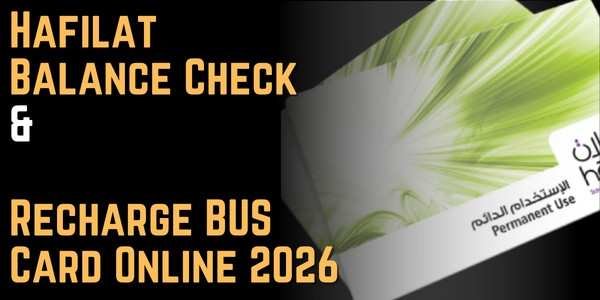
Hafilat Balance Check & Recharge BUS Card Online 2026
If you travel on Abu Dhabi’s public buses, your Hafilat card is your ticket, and running low on balance mid-journey is never fun. Whether you’re a student, a daily commuter, a visitor, or a resident, this guide covers every official way to do a Hafilat balance check and Hafilat recharge, plus the card types, fees, and a few 2026-specific issues (like the outdated SMS method) that most guides don’t mention.
What is Hafilat and Who Manages It?
Hafilat (Arabic for “buses”) is Abu Dhabi’s official contactless smart card system for paying public bus fares. It was introduced in 2015 by what was then the Integrated Transport Centre (ITC), now rebranded as AD Mobility, under the Department of Municipalities and Transport (DMT). Instead of paying cash, passengers tap their card on the validator when boarding and again when exiting, and the correct fare is automatically deducted based on distance traveled.
Hafilat is closely integrated with the Darb platform, which is the umbrella digital system for Abu Dhabi’s transport services, including tolls, parking, and public transport. Through Darb, cardholders can:
- Check their Hafilat balance and recent transactions.
- Recharge their card online.
- View bus schedules and plan journeys.
- Manage multiple cards under one account.
The card works across the full network covering Abu Dhabi city buses, intercity routes, and regional services connecting Abu Dhabi, Al Ain, and Al Dhafra.
Hafilat Balance Check Methods 2026
There are several official ways to check Hafilat balance, split between online and offline channels:
Online Methods
- Darb website (hafilat.darb.ae)
- Darb mobile app
- TAMM portal, using UAE Pass
- Payit digital wallet (availability varies — see note below)
Offline Methods 5. Ticket Vending Machines (TVM) at bus stations 6. Bus validators (tap-in screen) 7. Authorized retail outlets (Lulu, SPAR and similar) 8. Customer Happiness offices and ticket counters
Note on Payit: some guides list Payit as a balance-check option, but independent testing in 2026 found no dedicated Hafilat section in the current Payit app — only Etisalat, du, Salik, and Nol top-ups appear. If you rely on Payit, check inside the app first rather than assuming the feature is live.
How to Check Hafilat Balance via the Darb Website
This is the most direct online method if you don’t want to install an app.
Step 1: Open the official Darb site
Go to hafilat.darb.ae in your browser. Always confirm the address bar shows a padlock icon (HTTPS) before entering any card details.
Step 2: Select the recharge or balance enquiry option
Click “Recharge Card” or “Balance Enquiry,” depending on how the menu is labeled at the time.
Why this matters: the “Recharge Card” page is also where the balance enquiry function sits, so you don’t need a separate registered account just to check your balance.
Step 3: Enter your card serial number
Type the full 16-digit serial number exactly as printed on the back of your card (no spaces, unless the field shows them automatically). Watch out for characters that look alike, like 0 and O.
Tip: if the site asks for the serial number after a “01-” prefix, some users have reported success entering only the digits after “01-“, rather than all 16 digits. This isn’t officially documented, so try the full number first, and only drop the prefix if the standard entry fails.
Step 4: Complete the CAPTCHA and confirm
Complete any CAPTCHA to prove you’re human, then click “OK.”
Step 5: View your balance
Your current balance, and often your card status and expiry date, appears immediately on screen. From the same page, you can proceed to Hafilat recharge if your balance is low.
Don’t share your full 16-digit card number publicly or with unofficial channels — only enter it on the verified Darb or TAMM pages.
How to Check Hafilat Balance via the Darb App
The Darb app is the most convenient method for regular commuters, especially if you manage more than one card.
Step 1: Download the official app
Search for “Darb Abu Dhabi” on the Google Play Store or “Darb Abu Dhabi Mobile” on the Apple App Store. Confirm the publisher before installing, to avoid fake versions.
Step 2: Sign in or register
Open the app and sign in with UAE Pass or your username and password. New users register with a mobile number, email address, and a password.
Step 3: Link your Hafilat card
From the home screen, tap the “+” icon or “My Cards,” then “Add Card.” Enter the 16-digit serial number printed on the back of your card and save.
Step 4: Check your balance
Go to “My Cards” or “Hafilat Cards,” and select the linked card. The app displays your current balance in AED, expiry date, and your last five transactions (taps and recharges).
Tip: give each linked card a clear nickname (for example, “Dad” or “Student card”) if you’re managing cards for the whole family, so you don’t mix them up.
Step 5: Recharge if needed
Tap “Top Up,” choose an amount, and pay by debit/credit card. If your new balance doesn’t appear right away, tap your card on a bus validator once — this often syncs the online top-up faster than waiting for it to refresh in the app.
How to Check Hafilat Balance via TAMM and UAE Pass
TAMM is Abu Dhabi’s government services portal, and it also lets you view your Hafilat card details once linked to your UAE Pass account.
Step 1: Go to the TAMM website
Visit tamm.abudhabi and click “Sign in” at the top right.
Step 2: Verify with UAE Pass
Enter your UAE Pass credentials. A confirmation number will appear on screen; match it with the notification sent to your UAE Pass app and confirm.
Step 3: Add your Hafilat card
Once logged in, select “Add your Hafilat Card,” enter the card number, and click “Add.”
Step 4: View your balance and status
Your Hafilat balance, card status, and expiry date will display on the same screen.
Why this matters: because TAMM is tied to your UAE Pass digital identity, it’s a good option if you already manage other government services (visa, traffic fines, utility bills) through the same account, since everything sits in one login.
How to Check Hafilat Balance Offline
Not everyone wants to check balance online, and there are several reliable offline options.
Ticket Vending Machines (TVM)
TVMs are located at major bus stations, including the Abu Dhabi Central Bus Station. Tap the screen to activate, choose English or Arabic, then place your card on the contactless reader or insert it as indicated. Select “Balance Inquiry” — this is free and does not deduct any balance. You can optionally print a receipt.
Bus validators
When you tap your card to board or alight, the validator often briefly displays your remaining balance on its small screen. This is the fastest way to check while you’re already traveling, though it won’t show transaction history.
Authorized retail outlets
Some authorized shops that sell or reload Hafilat cards, such as Lulu Hypermarket and SPAR outlets, can also check your balance for you, sometimes for a small service charge.
Customer Happiness offices
Every major bus terminal has a customer service counter. Hand over your card, and staff will swipe it on their machine and tell you the remaining credit — a good option if you need human assistance or your card isn’t reading correctly elsewhere.
Why SMS and USSD Balance Checks No Longer Work
A lot of older blog posts mention sending “BAL” by SMS to a shortcode like 3009, or dialing a USSD code such as *163#, to check your Hafilat balance remotely. Based on testing through 2026, these methods do not return a working result and should not be relied on. There is currently no universal SMS or USSD service that reads your Hafilat balance remotely. If you see this advice on another site, treat it as outdated — use one of the online or offline methods above instead, or call the ITC/AD Mobility customer service line listed inside the Darb app for assistance.
Hafilat Recharge Methods 2026
Recharging follows the same channels as checking your balance, both online and offline.
Online Recharge
- Darb website — enter your card serial, choose an amount, and pay by debit/credit card.
- Darb app — link your card, tap “Top Up,” select an amount, and confirm payment.
- Payit wallet — where currently supported, add your card and recharge through the Bills & Transport section (verify availability in-app first).
Offline Recharge 4. Ticket Vending Machines — tap or insert your card, select “Recharge,” choose an amount, and pay by cash or bank card depending on the machine. 5. Banknote Reloader (BR) machines — accept cash top-ups directly. 6. Authorized retail outlets — Lulu, SPAR, and similar partners can add credit to your card. 7. Customer Happiness offices — staff can recharge your card manually at the counter.
Tip: predefined recharge amounts are usually offered in steps like AED 10, 15, 20, 25, and 30. Choose based on how many trips you plan before your next top-up, since the maximum balance a card can hold is typically capped (see the fares section below).
Always keep your recharge receipt or online confirmation until the new balance actually reflects on your card. If it doesn’t update immediately after an online top-up, tap your card once on any bus validator or TVM — this usually forces a sync within seconds, though it can occasionally take a few hours to reflect in your full transaction history.
Comparison Table: Choosing the Best Method
|
Method |
Accessibility |
Speed |
Convenience |
Notes |
|
Darb Website |
Any browser, 24/7 |
Instant |
High |
No app install needed |
|
Darb App |
iOS & Android |
Instant |
High |
Best for managing multiple cards |
|
TAMM (UAE Pass) |
Any browser, 24/7 |
Instant |
Medium |
Useful if already using UAE Pass for other services |
|
Payit Wallet |
iOS & Android |
Instant, where supported |
Medium |
Confirm Hafilat support is active in-app first |
|
Ticket Vending Machine |
Bus stations only |
~1 minute |
Medium |
Free balance inquiry, receipt option |
|
Bus Validator |
On the bus |
A few seconds |
Medium |
Quick glance only, no history |
|
Retail Outlets |
Lulu, SPAR and similar |
~2 minutes |
Medium |
May carry a small service charge |
|
Customer Happiness Office |
Major bus terminals |
~2-5 minutes |
Medium |
Best for human assistance or card issues |
So, the Darb app is the best method for most regular commuters, because it lets you check balance, view transaction history, manage multiple family cards, and recharge instantly, all without leaving your phone.
Hafilat Card Types, Prices and Validity
Hafilat offers several card types depending on who you are and how often you travel.
|
Card Type |
Eligibility |
Cost |
Validity |
Key Benefit |
|
Temporary / Anonymous Card |
Anyone, no ID required |
Approx. AED 10 |
30 days to a few years |
Instant use, no registration |
|
Personalized Card |
Residents with Emirates ID |
Approx. AED 10 (issuance) |
Up to 16 years |
Balance protection if lost, full online access |
|
Student Card |
Registered students under 25 with valid student ID |
Approx. AED 5-10 |
Renewable, tied to enrollment |
Up to 50% discount on fares |
|
Senior Citizen Card |
UAE residents/citizens aged 55-60+ |
Free to AED 5 |
Up to 1 year, renewable |
Free or 50% discounted travel |
|
People of Determination Card |
Valid Sanad card or medical certificate |
Free |
Up to 1 year, renewable |
Free travel, often including one companion |
Note: reported fees vary slightly between official channels and third-party sources, so always confirm the exact current price at a Customer Happiness office or the official AD Mobility site before applying.
To apply for a discounted card, bring your Emirates ID and the relevant supporting document (student ID, proof of age, or medical/Sanad certificate) to the nearest Customer Happiness office at a bus station or the airport.
Hafilat Fares, Minimum Balance and Top-Up Limits
- Minimum balance to board: generally AED 10 is recommended, since fares are deducted automatically and an insufficient balance can block boarding.
- Maximum balance: many Hafilat cards cap stored value, commonly cited around AED 150 — recharge in smaller, more frequent amounts if you’re near the cap.
- Personalized card discount: personalized cardholders typically receive a discount (around 25%) compared to cash-equivalent or anonymous card fares.
- Monthly pass: approximately AED 80 for unlimited city bus travel within 30 days — useful if you commute daily and want to avoid repeated top-ups.
- Children under 5: usually ride free when accompanied by a fare-paying adult.
Fares can change, so if you’re budgeting for a specific route, check the current fare table on the Darb site or ask at a Customer Happiness office before relying on older figures.
What to Do if Your Hafilat Card is Lost or Expired
If your card is lost or stolen: Report it as soon as possible at any Customer Happiness office. If your card was personalized and linked to your Emirates ID, your remaining balance can usually be protected and transferred to a replacement card. Anonymous cards generally can’t recover lost balance, since they aren’t linked to your identity.
If your card has expired: Renewal isn’t the same as recharging — it means replacing the physical card once it reaches the end of its validity period. Visit any AD Mobility Customer Happiness office with your Emirates ID to renew, and ask whether any remaining balance can be transferred to the new card.
If your balance check fails on the official site: Double-check that you’ve typed the 16-digit serial number correctly, watching for characters like 0 vs. O. If the standard entry doesn’t work, try entering only the digits after the “01-” prefix, if your card starts with one. If it still fails, use a Ticket Vending Machine or ask at a counter instead of repeatedly retrying online.
Tips for Managing Your Hafilat Card
Enable low-balance alerts. If the Darb app offers notifications, turn them on so you’re warned before you’re stuck at the bus door with an empty card.
Match app nicknames to physical stickers. If you manage cards for family members, label each one consistently in the app and with a small sticker on the card itself, to avoid mixing them up.
Tap once after an online recharge. A single validator tap after topping up online usually confirms the updated balance faster than waiting for the app to refresh.
Keep your recharge receipt. Whether you top up online or at a machine, hold on to the confirmation until the new balance is reflected — this is your proof if there’s a dispute.
Choose a personalized card if you commute daily. The balance protection alone is worth it if your card is ever lost, on top of the fare discount.
Apply for discounted cards early. If you’re a student, senior, or eligible for the People of Determination card, apply as soon as you’re eligible — some discounts require in-person verification that can take a same-day visit to process.
Don’t rely on SMS or USSD codes. As covered above, these methods are outdated in 2026 — use the Darb app, website, TAMM, or a physical machine instead.
Recharge in smaller, frequent amounts near the balance cap. If your card has a maximum stored value around AED 150, topping up in smaller increments avoids wasted credit if you’re close to the limit.
Check balance the night before travel. This is especially useful before early morning trips, so you’re not troubleshooting a low balance while a bus is waiting.
Never share your full 16-digit card number publicly. Only enter it on verified Darb, TAMM, or Payit pages — never on forums, social media, or with unofficial “balance checker” tools that ask you to submit personal details elsewhere.
Final Thoughts
For most commuters, the Darb app is the single best tool because it combines balance checks, recharge, transaction history, and multi-card management in one place. If you’d rather not install an app, the Darb website (hafilat.darb.ae) does the same job from any browser. Keep a Ticket Vending Machine or Customer Happiness office in mind as your backup when you’re already at a station, and don’t waste time on SMS or USSD shortcuts — they simply don’t work anymore. Whichever method you use, the habit that actually saves you from a red-light tap at the bus door is a quick balance check the night before you travel.


About Author
