

How Fantasy Creators Use Pollo Cinema to Keep Characters and Worlds Consistent Across Scenes
Fantasy scenes are difficult to connect because every frame contains details that can drift: faces, costumes, weapons, architecture, weather, color and scale. A beautiful first shot is not enough if the next scene appears to belong to another world. This guide shows fantasy creators how to build a compact visual bible, organise references and use Pollo Cinema controls so new camera angles and lighting choices expand the story without redesigning it.
Why Do Fantasy Characters and Worlds Change Between AI Scenes?
Characters and worlds drift because each generation must reinterpret details that were never fixed in a reusable visual system. The more unusual the costume, prop or environment, the more room the model has to invent alternatives.
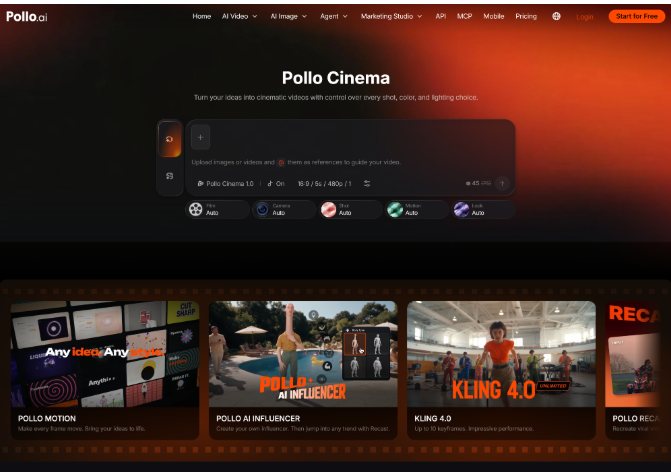
AI cinematic video generator can reduce that uncertainty by combining prompts with references for characters, locations and visual details. Pollo Cinema supports a large reference set and adds film, camera, lens, movement, color and lighting controls. References establish what the world contains; the cinematic settings establish how the audience experiences it.
How Do You Build a Reference Workflow for Pollo Cinema?
Build one approved reference set, assign each image a clear purpose and reuse the same visual rules across the sequence. Follow these steps:
- Create a character identity sheet. Choose a clear face, full silhouette, costume front and one important expression. Remove alternate hairstyles or outfits unless the story explicitly requires a change.
- Separate permanent and scene-specific details. Permanent details include face, body shape and signature costume elements. Mud, damage, weather and temporary props belong to the individual scene prompt.
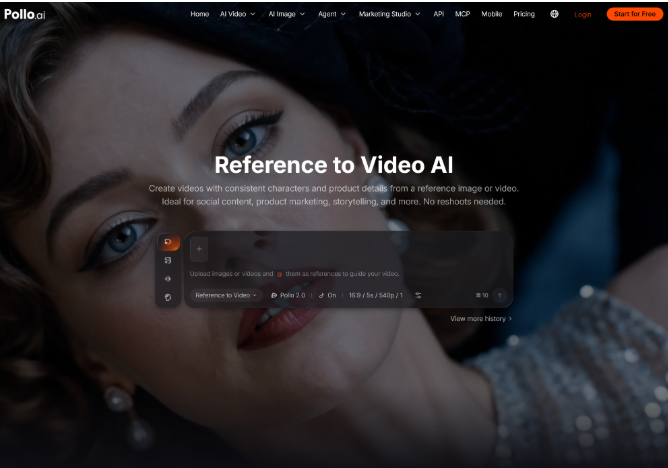
- Validate the hero reference in motion. Before directing a complex sequence, test a short reference to video AI workflow with the approved character image. A simple turn or walk reveals whether the face, costume and key prop remain readable before those references enter a larger cinematic scene.
- Build a location sheet. Include the overall geography, architectural language, important landmarks and scale references. Avoid unrelated mood images that contradict the established world.
- Define the visual constants. Choose the film direction, base palette, contrast and lens character that should connect the sequence, even when the shot size changes.
- Change one story variable per shot. Alter the action, viewpoint or light according to the narrative while keeping identity references and world rules stable.
Which References Keep a Fantasy World Consistent?
The best reference set covers identity, geography and recurring objects without repeating the same information in several conflicting images. Use each category for a specific job.
|
Reference group |
Details to lock |
Common drift to check |
|
Character |
Face, hair, silhouette |
Age, features and proportions |
|
Costume |
Layers, symbols, materials |
Color and missing components |
|
Prop or creature |
Shape, scale, markings |
Redesign between shots |
|
Location |
Layout, landmarks, atmosphere |
Changing geography or era |
How Do You Change Cinematic Shots Without Redesigning the World?
Keep identity and environment references fixed, then change camera and lighting choices for a clear story reason. These habits help:
- Repeat exact identity wording. Use the same character name and defining details rather than rewriting the description in every prompt.
- Motivate every lens change. Move from a wide view to a close-up because the story shifts from world scale to emotion, not merely for variety.
- Track the light source. If a doorway, moon or magical object lights the scene, preserve its direction as the camera moves.
- Review transitions, not only single clips. Place shots next to each other and check whether costume, geography and time of day connect logically.
- Reject attractive contradictions. A visually impressive generation should not survive if it changes the character or rules of the world.
Ready to Build a Consistent Fantasy Sequence with Pollo Cinema?
Start with one character, one location and three shots that change viewpoint without changing identity. Prepare the approved references, establish a shared palette and lighting logic, then generate an establishing view, action shot and reaction close-up in Pollo Cinema. Compare the clips as a sequence, keep only the versions that belong to the same world and use Pollo AI to refine the story without loosening the visual rules.


About Author
