

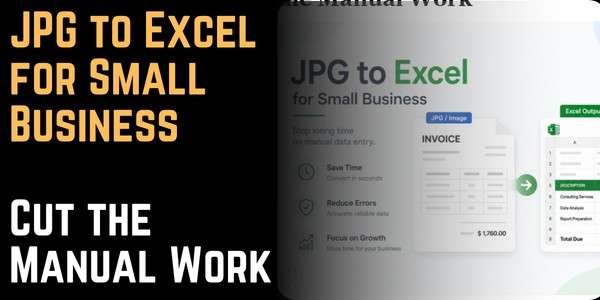
JPG to Excel for Small Business: Cut the Manual Work
A small business owner does not have a finance team. Nobody is sitting down to process invoices full-time. The same person running the business is also chasing payments, handling receipts, and sorting accounts.
Manual data entry costs small businesses more than most realize. Every hour spent retyping is an hour away from the actual work.
How does JPG to Excel conversion help small businesses specifically?
Small businesses deal with the same documents as larger ones. They deal with invoices, receipts, supplier statements, and expense records. The difference is volume per person. Fewer hands, same amount of paperwork.
JPG to Excel conversion removes the retyping step entirely. A photo of an invoice turns into an editable spreadsheet in seconds. From there, the data is ready to sort, filter, and import. No manual typing needed.
What types of small business documents benefit most from conversion?
Most small businesses process the same document types week after week. That repetition is where conversion makes the biggest difference:
- Supplier invoices: Invoices arrive as images or scanned PDFs. Converting them to Excel cuts manual entry out of the process entirely.
- Expense receipts: Staff collect paper receipts in the field. A photo and a quick conversion beat collecting and retyping them all.
- Purchase orders: Printed orders from suppliers have item codes, quantities, and prices. Converting them makes checking and tracking faster.
- Inventory counts: Paper stock counts convert into Excel for immediate comparison against digital records.
- Client rate cards and price lists: Printed pricing documents convert into a searchable digital reference without retyping every line.
How much time does manual data entry actually cost a small business?
A single invoice with twenty line items takes eight to twelve minutes to retype accurately. Ten invoices a week add up to eighty to one hundred and twenty minutes of data entry. Over a year, that is sixty to one hundred hours spent on retyping alone.
The error cost adds more. A mistyped total creates a payment discrepancy that takes time to trace. A wrong product code causes a fulfillment error. These are not rare events in a manual workflow. They are predictable ones.
When you use image to excel conversion for routine documents, each file takes under a minute to convert and two minutes to review. That time saving adds up across every document processed.
Does a small business need special software to convert JPG to Excel?
No. Any device with a browser works. No installation needed. No subscription, no account, nothing to set up. Upload the file, download the result, and open it straight away.
This matters for small businesses with mixed devices and no IT support. A browser-based tool works on the laptop at the front desk, the tablet in the warehouse, and the phone in the field.
How should a small business handle receipts collected in the field?
Small businesses should photograph receipts on a dark background using a scanner app the same day they are collected, as thermal paper fades quickly.
A scanner app corrects perspective and contrast automatically before upload. With that habit in place, field receipt conversion becomes reliable enough to build a workflow around.
What is the right way to organize converted files for a small business?
Name every file the same way. Vendor, document type, date. Keep them in one shared folder that the whole team can reach. That is all it takes to keep records organized and easy to find.
This makes files searchable without opening them and keeps accounting records in order without dedicated software.
Conclusion
Manual data entry is one of the most consistent drains on small business time. It is slow, error-prone, and avoidable for most document types.
JPG to Excel conversion handles the documents small businesses deal with every week. The tool handles invoices, receipts, purchase orders, and inventory sheets. The conversion takes under a minute. The review takes two. That time saving adds up across every document processed.
FAQs
Can a small business use JPG to Excel conversion without buying software?
Any device with a browser works. No subscription, no account, nothing to set up. Upload the image, download the Excel file, and open it straight away.
How does JPG to Excel conversion handle field receipts from staff?
Photograph receipts the same day on a plain dark background using a scanner app. Thermal paper fades quickly, so same-day capture matters. The scanner app fixes perspective and contrast before upload.
Is image to excel conversion accurate enough for small business financial records?
For standard documents with good lighting, accuracy sits above 95 percent. A short check of totals and key figures afterward catches anything the tool missed.
How should a small business organize converted JPG to Excel spreadsheet files?
Name every file the same way — vendor, document type, date. Store them in one shared cloud folder the whole team can access. That keeps records searchable without dedicated document management software.
What is the biggest mistake small businesses make with JPG convert to Excel workflows?
Skipping the post-conversion review. The conversion handles the heavy lifting, but a two-minute check of totals, dates, and reference numbers before the data moves into accounting software prevents errors that take much longer to trace later.


About Author
