

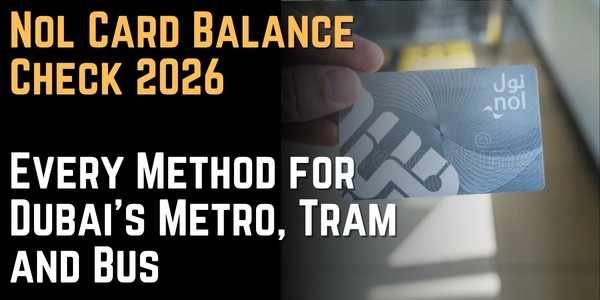
Nol Card Balance Check 2026: Every Method for Dubai’s Metro, Tram and Bus
Tap your Nol card at a Dubai Metro gate with too little balance, and you won’t get a warning — the gate simply rejects you, and repeated attempts can lead to a fine. This guide covers every official way to check your Nol card balance, the exact minimum you need to board, card types and their discounts, and what to do if your online top-up shows as “pending” instead of available.
What is a Nol Card and Who Manages It?
Nol (Arabic for “fare”) is Dubai’s contactless smart card system, issued and managed by the Roads and Transport Authority (RTA). It’s the single payment method for the Dubai Metro, tram, public buses, water bus and ferry services, and RTA-managed parking, and it’s also accepted at thousands of retail merchants, supermarkets, and parking facilities across the emirate.
Your Nol card stores a prepaid balance that’s automatically deducted each time you tap in and out. Unlike a bank card, there’s no overdraft: once the balance runs out, travel simply stops until you top up.
Nol Card Balance Check Methods 2026
There are several official channels for nol card balance check online 2026, split between online and offline:
[H3] Online Methods
- RTA website (rta.ae)
- RTA Dubai app
- Nol Pay app (NFC tap-to-check)
- SMS to 511
Offline Methods 5. Metro, tram and bus station kiosks / Ticket Vending Machines 6. Fare gates (balance shown briefly after tap) 7. RTA Customer Service Centers and helpline
How to Check Nol Balance via the RTA Website
This is the fastest method if you just need a quick number, no login required.
Step 1: Go to the official RTA website
Visit rta.ae and navigate to the Public Transport section.
Step 2: Find “Check Nol Balance”
Look for this option, usually located between “Check your fines” and “Check Salik balance” in the menu.
Step 3: Enter your Nol Tag ID
Type the 10-digit Tag ID printed on the back of your card, exactly as shown (no spaces or extra characters).
Tip: the Tag ID is separate from any account login — you don’t need to register an RTA account just to check a balance this way.
Step 4: Submit and view your balance
Click “Search” or “Check Balance.” Your available balance, any pending credit, and your card’s expiry date will display on screen.
How to Check Nol Balance via the RTA Dubai App
If you already manage other RTA services (fines, parking, Salik) from this app, checking your Nol balance from the same place is convenient.
Step 1: Download the RTA Dubai app
Get it from the Apple App Store or Google Play Store.
Step 2: Log in or create an account
Sign in with your RTA account, or register using your Nol card ID and personal details if you haven’t already.
Step 3: Open Nol Services
Navigate to “My Account” and select “Nol Balance,” or go to the dedicated Nol Services section.
Step 4: View your balance and history
Your current balance appears immediately. Select “Transaction History” to see recent top-ups and travel charges.
[H2] How to Check Nol Balance via the Nol Pay App (NFC Tap)
This is the most detailed method if your phone supports NFC, since it reads your physical card directly.
Step 1: Install the Nol Pay app
Download it for iOS, Android, or Huawei devices.
Step 2: Open “Check Card Info”
No login is required for a quick balance check — just tap this option.
Step 3: Tap your physical card to your phone
Hold your Nol card against the back of your phone and keep it there until the app confirms the scan.
Step 4: View your balance and transaction history
The app displays your current balance instantly, along with a detailed transaction history tab showing recent trips, top-ups, and fare deductions.
Why this matters: this is currently the only method that gives you a full, itemized transaction history without needing to create an RTA account first.
How to Check Nol Balance via SMS
Useful if you’re offline or don’t want to use an app.
Step 1: Register your mobile number
Follow RTA’s registration process to link your mobile number to your Nol card (instructions and the exact registration format can change, so confirm the current process on the RTA website before relying on it).
Step 2: Send “BAL” to 511
Once registered, simply text “BAL” to 511 whenever you want to check your balance.
Step 3: Receive your balance by reply
You’ll get a text back with your current Nol balance within moments.
Note: SMS instructions have shifted over time on different guides, so if the format above doesn’t work, confirm the latest steps directly through RTA rather than relying on an outdated blog post.
How to Check Nol Balance at Metro Stations and Fare Gates
Ticket Vending Machines / Self-Service Kiosks
Every metro station, tram stop, and major bus terminal has self-service kiosks. Tap your card against the designated reader, and your current balance displays instantly on screen — these machines double as top-up points if your balance is low.
Fare gates
Every time you tap your Nol card at a metro gate to enter or exit, the screen briefly shows your remaining balance after the fare is deducted. This isn’t a way to check balance without traveling, but it gives you an automatic update with every single trip.
How to Check Nol Balance via Customer Service
If you prefer speaking to someone, or you’re having an issue a machine can’t resolve:
Step 1: Visit an RTA Customer Service Center
These are located across Dubai and can check your balance, resolve disputes, or help with a lost card.
Step 2: Or call the RTA helpline
Dial 800-9090 (free within the UAE). Digital support and phone assistance are available 24/7, though in-person centers follow standard business hours.
Step 3: Provide your Tag ID
Give your 10-digit Tag ID to the representative, and they’ll confirm your current balance.
Comparison Table: Choosing the Best Method
|
Method |
Login Required |
Speed |
Convenience |
Notes |
|
RTA Website |
No |
Instant |
High |
Fastest for a quick check, no app needed |
|
RTA Dubai App |
Yes |
Instant |
High |
Best if you already manage fines/parking here |
|
Nol Pay App (NFC) |
No (for quick check) |
Instant |
High |
Only method with detailed itemized history without login |
|
SMS to 511 |
Registration required |
Seconds |
Medium |
Best when offline or without a smartphone |
|
Station Kiosk |
No |
Instant |
High |
Doubles as a top-up point |
|
Fare Gate |
No |
Instant |
Low |
Automatic, but only visible while traveling |
|
Customer Service |
No |
A few minutes |
Medium |
Best for disputes or lost cards |
So, the RTA website is the best method for a quick, no-login balance check, while the Nol Pay app is the best choice if you want a full transaction history on your phone without creating an account first.
Nol Card Types, Prices and Discounts
|
Card Type |
Cost |
Included Balance |
Validity |
Key Benefit |
|
Red Ticket |
AED 2 |
Pay-per-trip |
90 days or 10 trips |
Best for tourists and short-term visitors |
|
Silver Card |
AED 25 |
AED 19 |
5 years |
Standard card for daily commuters |
|
Gold Card |
AED 25 |
AED 19 |
5 years |
Access to Gold Class cabins on metro/tram (higher fares) |
|
Blue Card (Personal) |
AED 70 |
AED 20 |
5 years |
Linked to Emirates ID — balance protection and discounts |
Discount eligibility on Blue Cards:
- Students aged 5-23: 50% off all trips.
- Seniors aged 60 and above: 50% off all trips.
- People of Determination: free travel on metro and buses.
To apply for a discounted Blue Card, visit an RTA Customer Service Center with a valid student ID, proof of age, or People of Determination documentation.
Minimum Balance, Fines and Pending Credit
- Minimum balance to travel: AED 7.50 for standard classes across metro, bus, and tram.
- Gold Class minimum: AED 15.00 per trip, since the premium cabin charges a higher fare.
- Recommended buffer: keep AED 20-30 on your card to avoid repeatedly running close to the minimum.
- Insufficient balance fine: traveling with insufficient funds can result in a fine of around AED 200 — there’s no grace period at the gate itself, so a low balance simply gets rejected on the spot.
- Pending credit: when you recharge online (RTA website, RTA app, or Dubai Now), the new amount doesn’t always apply immediately — it can sit as “Pending Credit” for up to 4 hours, and in some cases up to 24 hours, until you tap your card at a metro gate, bus validator, or station machine to trigger the sync.
If your recharge still hasn’t reflected after tapping and waiting, call the RTA helpline at 800-9090 for assistance.
What to Do if Your Nol Card is Lost or Stolen
Report it immediately. Call 800-9090 to block the card and prevent unauthorized use.
Balance recovery depends on card type. Blue Card holders can transfer their protected balance to a replacement card, since it’s linked to their Emirates ID. Anonymous cards (Silver and Gold) cannot be refunded or recovered if lost, since they aren’t tied to your identity.
Get a replacement. Visit an RTA Customer Service Center with valid ID to request a new card, especially for Blue Card holders who want their balance transferred.
Tips for Managing Your Nol Card
Keep a buffer above the minimum. Don’t cut it close to AED 7.50 (or AED 15 for Gold Class) — fares can vary slightly by route and mode.
Register for SMS balance checks early. If you don’t have a data connection while traveling, having SMS already set up saves you from being caught off guard.
Tap a gate or machine right after an online recharge. This is the fastest way to convert “Pending Credit” into usable balance instead of waiting for it to sync automatically.
Choose a Blue Card if you commute regularly. The balance protection alone justifies the higher cost if your card is ever lost or stolen.
Apply for student, senior, or People of Determination discounts as soon as you’re eligible. These require in-person verification at a Customer Service Center, so plan a visit ahead of time rather than at the last minute.
Use the Nol Pay app for a full transaction history. It’s currently the most detailed option if you want to track every top-up and fare deduction without setting up a full RTA account.
Don’t rely on outdated SMS instructions. Registration steps for the SMS service have changed across different sources — confirm the current process directly through RTA rather than an old blog post.
Never share your Nol Tag ID casually. While it’s not as sensitive as a bank card number, anyone with your 10-digit Tag ID can view your balance on the RTA website, so don’t post it publicly.
Keep your card details somewhere retrievable. If your card is lost, having your Tag ID or account details on hand speeds up the replacement process at a Customer Service Center.
Final Thoughts
For a fast, no-login balance check, the RTA website is hard to beat — just your 10-digit Tag ID and a few seconds. If you want a fuller picture, including itemized transaction history, the Nol Pay app’s NFC tap gives you more detail without creating an account. Keep SMS set up as a backup for when you’re offline, and remember the two numbers that matter most for avoiding a gate rejection: a AED 7.50 minimum balance (AED 15 for Gold Class), and the fact that online recharges can take a few hours to actually reflect — so tap a gate or machine right after topping up if you’re heading out the door.


About Author
